
In today’s interconnected world, a Virtual Private Network (VPN) remains a foundational technology for creating secure, encrypted connections over the internet.
It acts as a private tunnel, protecting data from interception and hiding your online identity by masking your IP address.
The VPN landscape is evolving rapidly. The global market reached $71.25 billion in 2025 and is forecast to grow to $182.09 billion by 2030, fueled by the rise in cyberattacks and the normalization of remote work.
For security professionals, understanding this evolution is critical. This guide explores the modern types, protocols, benefits, and strategic role of VPNs within a 2026 cybersecurity framework.
What is a VPN in the Cybersecurity Context?
A VPN is an encrypted connection over the internet from a device to a network. It transforms data into an unreadable code, which can only be decoded with the correct key, ensuring that sensitive information remains confidential even if intercepted. Its core functions are more vital than ever
With 37% of the U.S. workforce operating remotely, VPNs provide essential encrypted access to corporate resources from anywhere.
As threat actors increasingly target remote access solutions, a properly configured VPN is a frontline defense against data interception on unsecured networks.
VPNs help maintain business continuity by allowing secure access to cloud applications and internal systems, a necessity as attacks shift from simple data theft to deliberate operational sabotage.
The “virtual private network” is no longer just a tunnel for data; it’s a strategic component in a layered defense strategy that must integrate with modern architectures like Zero Trust.
What are the types of VPNs?
Basically, there are twelve types of VPNs that are very important in the aspects of cybersecurity. here is the list of the following Virtual Private Networks.
Remote Access VPN
There are two sub-types of VPNs within Remote Access VPN.
Client-Based VPN: Allows individual users to connect to a private network securely from remote locations using VPN client software. This is often used by employees to access their company’s resources while working remotely.
SSL/TLS VPN: Uses Secure Socket Layer (SSL) or Transport Layer Security (TLS) protocols to establish a secure connection over the internet. Often used for web-based applications.
Remote access VPN lets a user join a network & check out its services & assets distantly. The link between the user and the private network is built through the Internet & the connection is protected & private.
Remote Access virtual private networks is helpful for business users in addition to house users.
A business member of staff, while roaming, uses a virtual private network to join the company’s personal network & access files from anywhere they can also access resources on the private network.
Home users, or private users of virtual private networks, mainly utilize VPN services to avoid local limitations on the Internet & access blocked sites. Users aware of Internet safety also utilize virtual private network services to improve their Internet security & privacy.
Site–to–Site Virtual Private Networks
There are two sub-types of virtual private networks within Site–to–Site VPN. It is also described as a Router-to-Router & is generally used in business organizations.
Intranet-based VPN: Connects multiple remote locations of an organization, creating a secure network between these sites. It’s commonly used for connecting branch offices to a central corporate network.
Extranet-based VPN: Extends the reach of a corporate network to trusted partners or suppliers. It allows controlled access to selected resources within the internal network.
Companies, with workplaces in alternative places, utilize Site-to-site VPN to join the net of one workplace spot to the network at a different workplace site.
When numerous offices of a similar company are linked using a Site-to-Site VPN type, it is described as an Intranet-based virtual private network.
When a business uses a site-to-site virtual private network to join the office of a different group, it is described as an extranet VPN.
Mainly, Site-to-site VPN makes a virtual bridge between the networks at physically far-away offices & connects them over the Internet, & sustains a private and secure message between the networks.
Peer-to-Peer (P2P) VPN
It allows two or more devices or networks to connect directly with each other without the need for a centralized server or infrastructure. This is often used for privacy and security between individuals.
Mobile Virtual Private Networks
This is specifically designed for mobile devices such as smartphones and tablets, ensuring secure and private connections even when users are on the move. Mobile VPNs are useful for remote workers and travelers.
Layer 2 Tunneling Protocol (L2TP)/IPsec
Combines the L2TP tunneling protocol with the security features of IPsec (Internet Protocol Security). It’s commonly used for secure site-to-site connections.
OpenVPN
An open-source virtual private network protocol is known for its flexibility and strong security. It can be used for various VPN types, including remote access and site-to-site.
Cloud VPN
Provides secure access to cloud-based applications and infrastructure (AWS, Azure, Google Cloud). It is essential for businesses with hybrid or multi-cloud architectures.
WireGuard
WireGuard is a relatively new and lightweight VPN protocol known for its speed and security. It’s becoming increasingly popular for various virtual private network applications.
SSTP (Secure Socket Tunneling Protocol)
Developed by Microsoft, SSTP provides secure and encrypted communication over SSL/TLS. It’s often used for remote access VPNs on Windows platforms.
Hybrid VPNs
Combine multiple virtual private network technologies to provide enhanced security and flexibility. For example, a hybrid VPN might use SSL/TLS for remote access and IPsec for site-to-site connections.
Split Tunneling VPN
Allows users to access both the public internet and the private VPN network simultaneously. This can optimize bandwidth usage but requires careful configuration to maintain security.
Zero Trust Network Access (ZTNA)
While not a traditional VPN, ZTNA is its strategic evolution. It adheres to a “never trust, always verify” model, granting least-privilege access to specific applications rather than the entire network. This directly addresses the lateral movement risk inherent in traditional VPNs.
PPTP (Point-to-Point Tunneling Protocol)
An older VPN protocol is known for its ease of setup but is considered less secure than newer protocols. It’s not recommended for highly sensitive data and is now obsolete.
VPN Protocols
The protocol is the backbone of your VPN connection, determining its security, speed, and reliability. Choosing the right one is a key technical decision.
The following table compares the most relevant protocols for enterprise and high-security use cases.
How does Virtual Private Network Work?
A VPN addresses fundamental internet vulnerabilities: exposed data and identifiable location. It routes your traffic through an encrypted tunnel to a secure server, which then interacts with the internet on your behalf.
Step-by-Step: The Life of a Data Packet
You launch the VPN client, authenticate, and connect to a chosen server. Protocols like WireGuard perform a secure key exchange to establish your unique encrypted tunnel.
Your device encrypts all outgoing internet traffic (web requests, messages) using strong ciphers (e.g., AES-256) before it leaves your device.
This encrypted data passes through your ISP, but they can only see gibberish and the fact you’re connected to a VPN server, not your actual activity.
The VPN server decrypts your data. It then forwards your request to the public internet, using its own IP address instead of yours.
The response from the web is sent back to the VPN server, which re-encrypts it and sends it through the tunnel to your device. Your VPN client decrypts it for you to use.
The Strategic Role of VPNs in Modern Cybersecurity
Enabling Secure Remote Access
VPNs provide the encrypted tunnel necessary for employees, contractors, and third parties to access internal network resources from outside the corporate firewall. This is foundational for hybrid work models.
They allow geographically separate offices to communicate over the public internet as if they were on a single, private, secure network.
VPNs as a Target, Not Just a Shield
Contrary to outdated beliefs, VPN infrastructure is now a primary attack vector. In 2025, zero-day exploits targeting VPN appliances from major vendors surged nearly eightfold year-over-year.
High-profile breaches have stemmed from unpatched VPN vulnerabilities (e.g., CVE-2024-21887 in Ivanti Connect Secure).
Therefore, the importance of a VPN in a security program is contingent on rigorous lifecycle management with immediate patching, strict configuration, and continuous monitoring. An unmanaged VPN drastically increases organizational risk.
From “All-Access” Tunnels to Zero Trust
The traditional VPN model grants access to the entire network upon connection. This flat architecture is antithetical to the principle of least privilege, which is now the cybersecurity standard.
This flaw is driving the most important strategic shift in remote access: the adoption of Zero Trust Network Access (ZTNA). ZTNA verifies every user and device for each application they attempt to use, granting only the minimum necessary access.
For forward-thinking organizations, the ‘importance’ of a VPN is often measured against its role within a hybrid or phased ZTNA migration strategy.
Compliance & Data Protection
VPNs help meet specific data-in-transit encryption requirements mandated by regulations like GDPR, HIPAA, and PCI-DSS. This provides a verifiable control for protecting customer data as it travels, which is a concrete compliance step, not just a ‘feeling.
Compliance also requires ensuring the VPN provider itself adheres to strict security and data-handling standards.
VPN Security Best Practices: A Guide for Individuals and Enterprises
Selecting and configuring a VPN requires different priorities depending on whether you’re an individual protecting your privacy or an IT team securing corporate data. Below are the critical, actionable best practices for 2026.
For Individuals & Consumers: The Privacy-First Checklist
Trust Through Verification
Choose a provider with a verified no-logs policy. Do not take marketing claims at face value.
Look for published reports of independent security audits. Providers that are transparent about their infrastructure and have undergone recent audits (e.g., in the last 12-18 months) are far more trustworthy.
Enable Core Security Features
Kill Switch: Non-negotiable. This feature blocks all internet traffic if the VPN connection drops, preventing accidental exposure of your real IP.
Leak Protection: Ensure the client has built-in protection against WebRTC, DNS, and IPv6 leaks, which can reveal your identity even when the VPN is active.
Prioritize Modern Technology
Use VPNs that offer and default to WireGuard or OpenVPN protocols. Avoid outdated options like PPTP or L2TP. The provider should use strong, standard encryption like AES-256.
Practice Operational Security
Use a Paid Service: Avoid free VPNs, as their business model often involves selling user data or injecting ads.
Keep Software Updated: Ensure your VPN client is always updated to the latest version to patch security vulnerabilities.
For Businesses & Enterprises: The Risk-Management Framework
The Foundational Question: VPN or ZTNA?
Before selecting a VPN, conduct a risk assessment. For most new deployments or modern application access, Zero Trust Network Access (ZTNA) is the more secure and manageable choice, providing granular access without a full network tunnel.
If a VPN is Required, Demand Enterprise-Grade Assurance:
The provider must have SOC 2 Type II reports, undergo penetration testing, and comply with relevant industry regulations (GDPR, HIPAA, etc.).
The solution must include a dashboard for managing users, enforcing policies, monitoring connection logs (for security, not content), and deploying configurations at scale.
Implement Strict Configuration & Hygiene:
Never place VPN users on the same network segment as critical servers. Use microsegmentation to limit lateral movement if a VPN account is compromised.
Multi-Factor Authentication (MFA) is mandatory for all VPN access. This is the single most effective control to prevent credential-based breaches.
Users should only have access to the specific internal resources necessary for their role, not the entire network.
Assume Breach: Active Monitoring & Patching:
Patching Cadence: Given the surge in VPN-targeted exploits, establish a policy for immediately patching VPN gateway appliances and client software. Delay is a direct risk.
Continuous Monitoring: Monitor VPN logs for anomalous behavior (logins from unusual locations, excessive data transfer) as part of your Security Operations Center (SOC) oversight.
Benefits of Using a Virtual Private Networks
Here are some of the key benefits of using a VPN for cybersecurity.
There are times when we desire to visit a page or download a video even on a Website or Netflix where access is limited to a number of locations. By using a virtual private network access becomes possible.
If for instance, you desire to visit a website, which is available only to the American citizen, there is a way out. You connect to the web through a VPN, you select a server located in the United States & you are all set!
A VPN offers us safe remote access to our home or professional network, where we even see our PC from wherever we are as a local PC network.
If throughout our Internet navigation, we enter pages that are not HTTPS all our movement is open for somebody who wants to record something. But when we join using VPN then all of our data will be secret inside the virtual private network.
Encryption of Data
When you connect to a VPN, it creates a secure tunnel between your device and the VPN server. This tunnel encrypts your internet traffic, making it unreadable to anyone trying to intercept or spy on your data.
Encryption adds a layer of protection, particularly when using public Wi-Fi networks, where your data could be vulnerable to hackers.
Protects Against Eavesdropping
By routing your traffic through encrypted tunnels, VPNs protect your data from eavesdropping by cybercriminals, government surveillance, and even your Internet Service Provider (ISP).
This is important for safeguarding sensitive information like login credentials, financial transactions, and personal communications.
Privacy and Anonymity
One more main benefit of a VPN is the capability to cover your private information. Hackers can utilize a range of methods to catch sensitive information you enter on websites.
Through that information, they can try to mimic you, gaining access to bank accounts, credit card info, & more.
So using a virtual private network, you can mask your real IP address and location. Your internet traffic is routed through the VPN server, making it appear as if you’re browsing from a different location.
With a virtual private network, however, you can enjoy high-level safety, such as 256-bit encryption. This makes your whole communications online look like illogical, garbled text and characters to anybody who is capable of finding a method to intercept them.
This enhances your privacy and anonymity, making it difficult for websites, advertisers, or even your internet service provider (ISP) to track your online activities.
Bypassing Geo-Restrictions
Some online content, such as streaming services, may be restricted to specific regions or countries. A VPN allows you to choose a server location where the content is available, effectively bypassing these geo-restrictions.
This can be useful for accessing region-specific websites, and services, or overcoming censorship imposed by certain governments.
Protection from DDoS Attacks
VPNs can help protect against Distributed Denial of Service (DDoS) attacks by masking your real IP address. This makes it harder for attackers to target you or your online services.
Secure Remote Access
For businesses and remote workers, VPNs provide a secure way to access corporate networks and resources from outside the office. This ensures that sensitive company data remains protected.
Safer Torrenting
If you engage in torrenting, using a VPN can help hide your IP address from other users on the network. This reduces the risk of legal consequences for downloading copyrighted material.
Enhanced Public Wi-Fi Security
Public Wi-Fi networks are often less secure and can be easy targets for cyberattacks. Using a VPN adds an extra layer of security, making it safer to use these networks for browsing and online transactions.
Prevent Bandwidth Throttling
Some ISPs engage in bandwidth throttling, which slows down your internet connection for certain activities like streaming or torrenting. A VPN can help bypass these restrictions and maintain consistent speeds.
Protection from Malware and Phishing
While VPNs are not antivirus solutions, they can add an extra layer of protection by blocking known malicious websites and preventing you from inadvertently accessing phishing sites.
No-Logs Policies
Many reputable VPN providers have strict no-logs policies, which means they do not keep records of your online activities. This further enhances your privacy and security.
Other Benefits include
Protection against Untrusted Networks
Public Wi-Fi networks, such as those found in coffee shops, airports, or hotels, are often unsecured and prone to attacks. With a VPN, your data is encrypted, safeguarding it from potential threats lurking on these networks.
It prevents malicious actors from intercepting your sensitive information, such as login credentials or financial data.
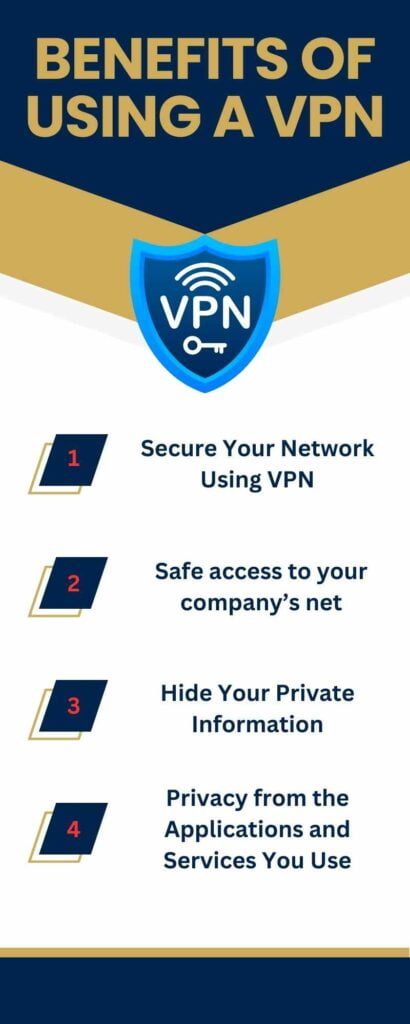
Safe access to your company’s net
More and more corporations are giving people the prospect to work from home or anywhere they like. In such instances, a remote access VPN can be very helpful to let workers connect to a company’s internal network from anywhere, securely and professionally.
There are several virtual private networks built particularly for business use. While they might not serve to unclog streaming services abroad, they are surely useful in protecting private and sensitive corporate data.
Secure Your Network Using VPN
A VPN is important in network security because it encrypts your internet traffic so that your online activities are private and protected from potential hacking. It also allows you to browse the internet anonymously, bypass geo-restrictions, and access public Wi-Fi networks securely.
The advantages of using virtual private networks are huge. One of the most significant is the fact that companies can efficiently secure their network. Without your acquaintance, an application or website can keep track of your movement online.
They can then examine the data they gather and use it to try to target you with ads. Without a VPN, you might experience an influx of pop-up ads that can break off your browsing experience and be a common nuisance.
If you utilize a virtual private network, it can stop people, software, & web browsers from getting access to your connection. This keeps the information you convey & accept secure & anonymous.
Privacy from the Applications and Services You Use
Your ISP (internet service provider) isn’t the only possible responsibility that you’ve got into your house. Unluckily, many of our preferred apps & internet services most remarkably Twitter have been called out for the method they’ve used the data of their consumers.
A virtual private network will stop apps & websites from trait your performance to your computer’s IP address. It can also bind the assortment of your site & browser history.
Bottom Line
Bypass censorship – A VPN must let you access websites, which have been suppressed or banned by your local government.
When the day ends, the virtual private network is now widely accepted as one of the safest methods for ensuring accurate communications among spread-out users across the world.
From a small organization with few workers to a large organization having a thousand workers, you can use VPN Service as a reasonable alternative WAN.
When you use the right virtual private network, you can make a nest of secure networks and offer it to your employees for cozy communication.